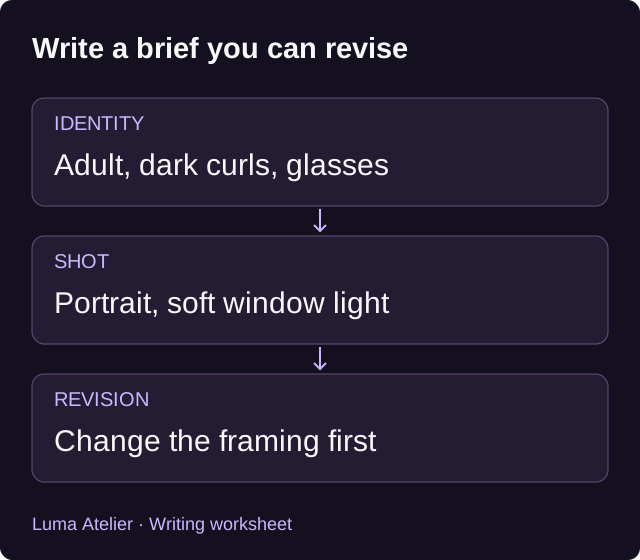
Separate the character from the shot
Write one sentence about the character’s visible appearance, then another about the picture. In the first, name the adult character and the features you want to recognize later. In the second, describe the framing and setting. This makes it easier to change a camera angle without accidentally changing the person.
Personality needs a visible expression if it belongs in an image brief. For a curious character, you might request a thoughtful expression while they examine an object. A long biography may matter to chat, but much of it will have no direct visual equivalent in a single portrait.
Use a brief with room for one change
Original adult character: [age and visible features]. Clothing: [specific outfit]. Framing: [portrait or wider scene]. Action: [one visible action]. Setting and light: [place and illumination]. Visual treatment: [chosen style].
This is a writing worksheet, not a guarantee that the model follows each field. Use the controls actually available in the selected tool for size and other settings. Avoid asking for mutually exclusive framing, such as a close face portrait and a full-body view in the same image.
Example: an archivist at a worktable
An original 38-year-old archivist with short dark curls and round glasses, wearing a charcoal cardigan over a linen shirt. A waist-up portrait at a wooden worktable, examining a closed brass compass. Soft window light from the left. Quiet archive shelves in the background. Naturalistic editorial photography.
The glasses, hair and clothing are details you can carry into a later brief. The worktable belongs to this scene. If the face is too small, revise the framing first; adding more facial adjectives will not express the composition change you need.
Example: a station mechanic
An original 29-year-old adult spacecraft mechanic with close-cropped silver hair, brown eyes and a dark blue work jacket with a copper patch on the sleeve. Head-and-shoulders portrait in a station workshop. Relaxed expression, looking toward the viewer. Even light across the face, blurred equipment behind. Painted science-fiction concept art.
For this brief, review whether the face reads clearly and whether the patch is recognizable. Small marks may change or disappear. If the patch is essential, inspect it before deciding to reuse the image as a character reference.
Example: a coastal mapmaker
An original 34-year-old adult mapmaker with a dark bob haircut and an olive raincoat, holding a folded chart at a harbor. Three-quarter portrait, face visible beneath an overcast sky. A moored survey boat in the distance. Muted watercolor illustration with clearly defined facial features.
Try a closer crop if the chart and boat compete with the face. If you prefer an indoor version, change the harbor to a map room while keeping the identity sentence. This gives you a specific revision to evaluate, though the generated likeness may still vary.
Review the result before spending on a revision
Check the intended use first. For a profile, is the face readable at a small size? For a scene, can you tell what the character is doing? Then inspect visible anatomy, objects and any unwanted text. Record the most important mismatch and revise the part of the brief responsible for it.
The examples above are authored prompts; we have not generated or compared outputs from them. Luma Atelier’s image results depend on the active service and settings. Check the current quote before submitting, and wait for an accepted request to resolve before sending another paid request.
Carry a portrait into a conversation
Use the character editor’s available image options and save the character before opening chat. An appearance reference can help guide later media requests, but it does not guarantee the same face in every result. Keep a short description of the details that matter to you.
When moving from an image to video, choose whether the image should establish the opening frame or serve as a character reference. Those roles differ. The video guide explains that choice and gives motion prompts you can adapt. Use original characters and images you have permission to use.
Sources and product details
Ready for the next step?